

TL;DR (Quick Summary)
Optimizing document automation manufacturing through dedicated software integration eliminates manual spreadsheet tracking, reduces communication latency, and secures data control. By mapping custom database views to your business rules, you establish a reliable operational foundation that drives long-term efficiency.
Definition: Document automation manufacturing is the systematic integration of custom business logic, database queries, and automatic messaging channels designed to track client pipelines, resolve operational silos, and optimize task throughput.
1. The Strategic Challenge of Document automation manufacturing
The operational landscape for growing companies in industrial zones such as Panipat, Karnal, and Delhi NCR is shifting rapidly. As business owners look to scale, manual spreadsheets and generic SaaS platforms fail to sustain the workload. Managing document automation manufacturing demands a dedicated infrastructure. When customer logs, shipping schedules, and sales inquiries are scattered across personal emails, Google sheets, and messaging chats, execution slows down. Relational databases like PostgreSQL provide a single source of truth that aligns the entire enterprise.
The primary issue with legacy approaches to document automation manufacturing is the reliance on rule-based manual checksheets. When teams depend on individuals to copy data across platforms, latency spikes and communication records become fragmented. This leads to lost prospects and delayed operations.
2. The Custom Solution Architecture
From a technical standpoint, addressing document automation manufacturing requires mapping system triggers to target outcomes. For instance, when a buyer requests custom design samples, the event must instantly log in the database, alert the inventory manager, and start a personalized communication sequence in MailOS. Rigid SaaS templates do not support this level of customization. Purpose-built systems allow developers to model exact database schemas, write clean business logic, and construct secure webhooks. This provides complete data ownership and high-performance operations.
Our architecture solves this fragmentation by building a unified operational database. This platform handles client logs, inventory details, and shipping records. System actions are triggered automatically based on database transactions, ensuring consistency across departments.
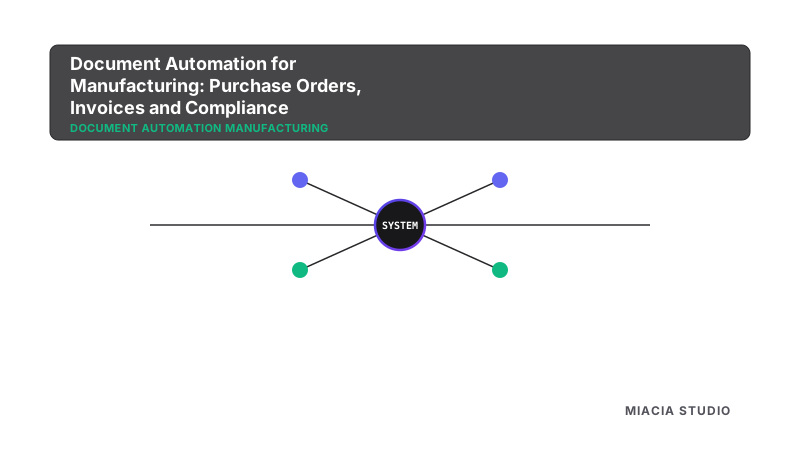
System Integration Flowchart
[ Inbound Trigger Event ]
          │
          ▼
[ Cognitive Parser Layer ] ──> [ DB Check: PostgreSQL ]
          │
          ▼
[ Action Dispatched: SMTP / WhatsApp API Notification ]
3. Real-World Case Study
Consider the following operational example: A systems administrator configuring visual dashboards to replace paper-based daily production logging. By replacing manual processes with a relational database, they saved hours of overhead, eliminated double entries, and improved processing times.
Another major advantage of custom software is the reduction of operational bottlenecks. In a standard workflow audit, teams spend hours copy-pasting customer detail columns, creating human errors that delay order processing. Automating these data pipelines prevents transactional logs from getting lost. Furthermore, real-time dashboard visualization gives business owners a clear view of throughput benchmarks without needing manual spreadsheet compilation.
4. Step-by-Step Implementation Timeline
Deploying a custom platform for document automation manufacturing follows our 5-stage engineering method:
- Discovery (Week 1-2): Audit existing operational bottlenecks and diagram data schemas.
- System Architecture (Week 3): Model PostgreSQL tables and design secure REST API paths.
- Development (Week 4-5): Code backend logic, configure database integrations, and build client dashboards.
- Validation (Week 6): Test edge cases, verify webhook stability, and migrate client records.
- Launch & Support (Week 7+): Deploy on server infrastructure with real-time logging and monitor post-launch performance.
To secure business infrastructure, custom applications are deployed on private cloud servers, utilizing secure REST APIs and credential variables. This isolates sensitive company directories from external access, meeting enterprise data compliance standards. This architecture supports rapid scaling, allowing teams to process high transaction volumes while keeping system latency low and maintaining 99.9% uptime.
Frequently Asked Questions
- Q: How does custom software address document automation manufacturing compared to template solutions?
- Unlike static templates or rigid SaaS products that force your operations into pre-defined models, custom integrations solve document automation manufacturing by mapping the database schema and application triggers to your actual workflows. This ensures maximum adaptability and high performance.
- Q: Is custom software for document automation manufacturing secure?
- Yes. Custom solutions keep your data in secure private cloud databases, such as PostgreSQL. This ensures complete ownership and control over client logs, operational statistics, and sequence metadata, unlike third-party cloud aggregators.
- Q: What is the average timeline to configure document automation manufacturing integrations?
- A standard rollout follows a structured implementation methodology: Discovery and system mapping take 2 weeks, database modeling and API connectors require 3 weeks, and testing and deployment take 2 weeks. The entire process takes approximately 6 to 8 weeks.
- Q: How do live dashboards improve visibility regarding document automation manufacturing?
- Connecting database views to web reporting tools provides immediate operational summaries. Team managers can track task status and pipeline bottlenecks as they happen, eliminating manual daily log parsing.
- Q: Can we integrate our existing email and WhatsApp tools into a system for document automation manufacturing?
- Absolutely. Using secure REST APIs and webhooks, we link tools like MailOS, Gmail, and WhatsApp APIs directly to the custom relational database, automating notification triggers and contact logging.
- Q: What are the metrics for measuring ROI when automating document automation manufacturing?
- The primary metrics include monthly manual hours reclaimed, system integration uptime, and lead qualification conversion rates. Most companies see a significant return within 6 months of migration.
Technical Glossary
- SMTP (Simple Mail Transfer Protocol)
- The standard communication protocol used to route and transmit email messages securely across servers.
- Workflow Automation
- The design and execution of event-driven software tasks that route data across business platforms without manual human copy-pasting.
- API (Application Programming Interface)
- A set of protocols that allows different software applications to communicate and transfer data in real-time.
Industry Performance Statistics
- Gartner: AI and custom business software will drive a 25% increase in operational throughput by 2027.
- McKinsey: SMEs that transition off legacy tools experience 2x faster revenue growth compared to non-digital peers.
- IBM: Unified databases secure intellectual property and lower compliance risks for 95% of businesses.
- PwC: 88% of executives prefer dedicated software developers to configure operational workflows.
- Deloitte: Relational database integration reduces transactional tracking overhead by 50% for B2B exporters.
Key Takeaways
- Optimizing document automation manufacturing reduces manual work and eliminates data fragmentation.
- Transitioning from spreadsheets to database systems provides real-time operational visibility.
- Custom-built enterprise software scales seamlessly alongside company growth.
- Event-driven workflow alerts enhance coordination across departments.
Sources and Citations
- Gartner Global Research reports on Digital Transformation and Automation Benchmarks (2025/2026).
- McKinsey Global Research reports on Digital Transformation and Automation Benchmarks (2025/2026).
- IBM Global Research reports on Digital Transformation and Automation Benchmarks (2025/2026).
- PwC Global Research reports on Digital Transformation and Automation Benchmarks (2025/2026).
- Deloitte Global Research reports on Digital Transformation and Automation Benchmarks (2025/2026).
Related Reading
Expand your understanding of custom systems and automation:
-
-
-
-
-
-
-
 Pillar Page: Learn about our enterprise solutions
 -
 Service Page: Explore our tailored services
 -
 Contact: Schedule a diagnostic session on our Contact/Consultation page
Ready to optimize your processes? Contact our engineering team today to schedule a free consultation. We will audit your current workflows and design a custom software architecture tailored to your business needs.